
Duplicate company records are a common issue in CRM systems and can lead to fragmented data, duplicate communications, and inaccurate reporting. To help resolve this, BuddyCRM includes a Merge Records feature, allowing you to combine duplicate records quickly while preserving the information you want to keep.
Throughout this article, Record A refers to the master record that will be retained after the merge. Record B refers to the duplicate record, from which any required information can be transferred before the record is removed.
What is retained from Record B and moved over to Record A?
Contacts

Activities - calls, appointments, tasks, notes, maildrop

Opportunities

Quotes

Documents

Cases

Campaign data

Mailchimp data
What is discarded from Record B?
Master Details

Trading Profile

Data from the background tab

Data from the pricing tab

Any parent/child relationships
Please be aware that merging two records is a very complex data operation and cannot be undone, even by the BuddyCRM support or development teams. Triple check before initiating a merge and only grant permission to users that are necessary.
Permissions for Merge
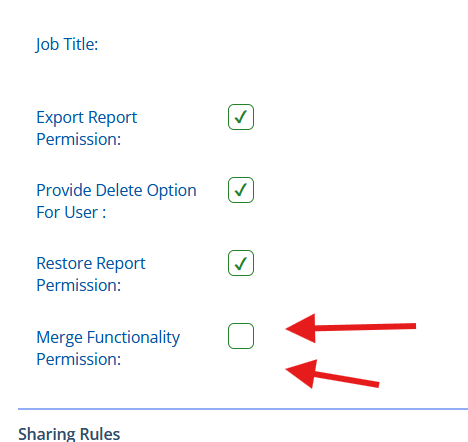
Within ‘Admin > Users’, you will first need to assign the permission to utilize this feature on a per-user basis. The setting is detailed below:
Process for Merge
A user with the merge permission would first go to Record B, aka the record that we want to get rid of, or merge into another record.
Click this merge icon top-right:

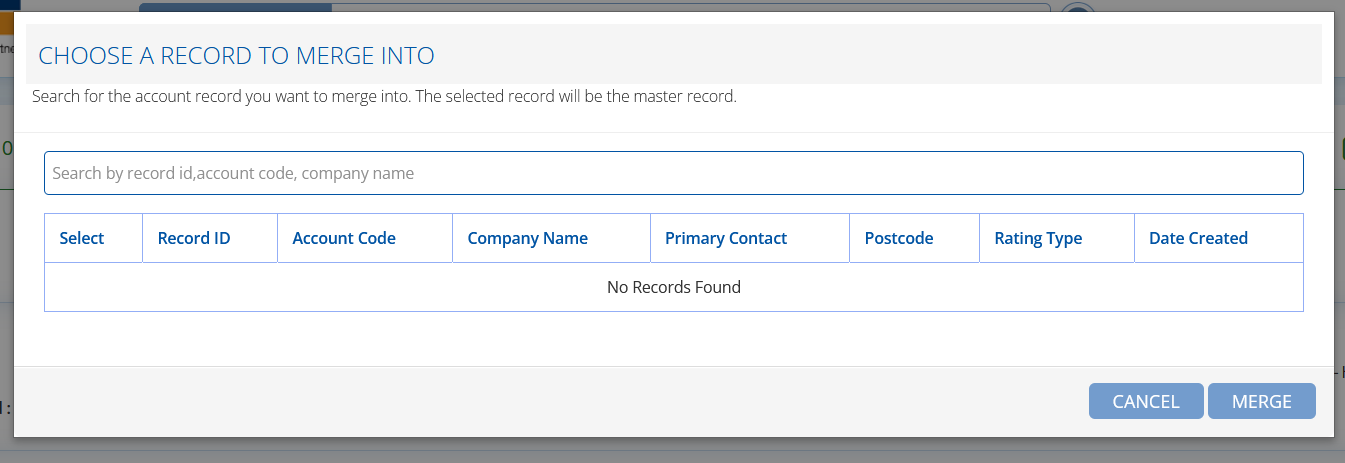
This will load a search grid to enable you to find the record to merge into, Record A:
Select the record that will be the primary (Record A):
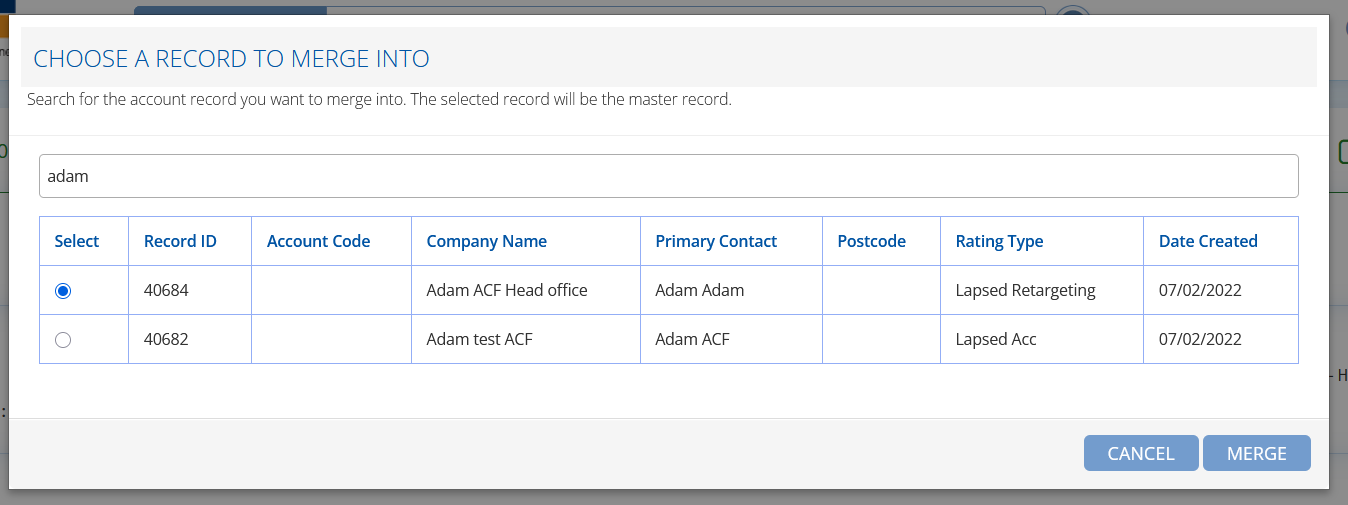
Double-check and click ‘merge’. You will need to acknowledge the following warning:

This will complete the merge, moving the relevant data and deleting Record B. At the end of the process the system will load Record A, which will now show merged data from the previous Record B.