
A common scenario is wanting to look at the customer records that haven’t been contacted recently and BuddyCRM has a few ways of achieving this, which we will discuss below:
Last Contacted On field
BuddyCRM automatically populates a ‘Last Contacted On’ field for each lead or account for you, by using completed calls and appointments as well as won opportunities. This reduces the amount of running around needed to keep this up to date!
Lead or Account modules
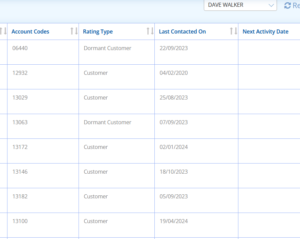
The ‘Last Contacted On’ field is available as a field within the Lead and Account module grids, putting this information at your fingertips. Simply select the blue ‘pick columns’ button and then check the tick box next to this field then choose ‘update’ to add it in.
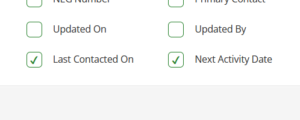
* Tip: Combine this with ‘Next Activity Date’ to see any upcoming activities already planned!
Report
If you wanted to get really specific on companies that have not been contacted, you could add ‘Last Contacted On’ as a field into a leads or accounts report:

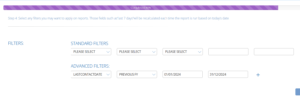
This field could even be used as a filter criteria for the report, for example ‘LastContactedDate’ in last financial year:
If you require any assistance, please don’t hesitate to contact the team at support@buddycrm.com.