
A common reporting query is how to create a report on open opportunities (sometimes referred to as deals) by stage and owner. This is easily achieved within the BuddyCRM reporting suite as explained below.
Go to ‘Reports’ from the left menu and select ‘Create Report’ from top-right.
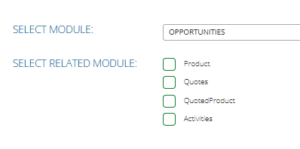
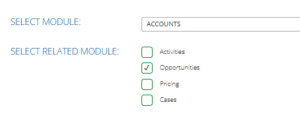
If you only need to report on opportunities, then select ‘Opportunities’ as the module to report on. If you would like some of the account related fields included on your report, select ‘Account’ and tick ‘Opportunities’ in related modules:
Select ‘tabular’ as the type of report and continue.
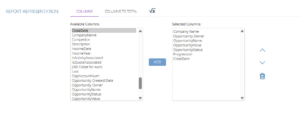
On the next screen ‘report representation’, you can select the columns to be included on the report. Select the columns in the list on the left and use the ‘add’ button to move them to list on the right. You can reorder the columns using the arrows to move the column up or down (the report will read left to right in this order top to bottom).
Some suggestions for columns would be:
Company Name
Opportunity Owner
Opportunity Name
Opportunity Value
Opportunity Status
Progression
Close Date
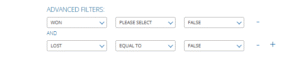
On the next screen you can define filters to filter the results of your report. To filter to only show open opportunities, select Won = False and Lost = False as below:
Finally, select the folder to save the report in and give it a useful name & description
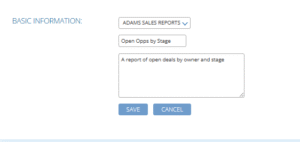
You can then run the report from clicking on it’s name within the reports area.
Let us know if you have any further questions about reports at support@buddycrm.com.